Employees
This is where the employees' files are kept: their details and documents, attendance and leave, payroll, advances and custody.
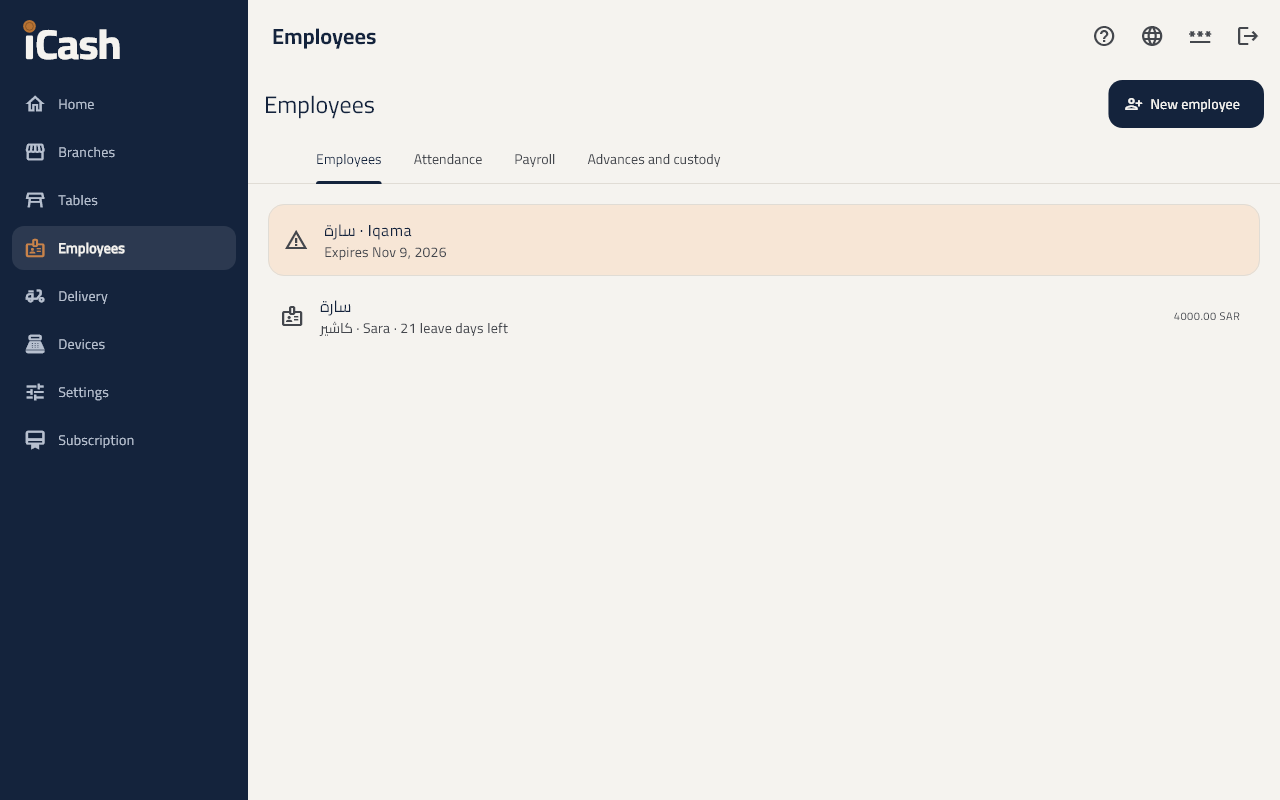
Add an employee
- In the menu choose Employees and tap New employee.
- Type the name, Job title, ID or iqama number, and a Monthly salary or Daily wage with the allowances.
- Set the Working hours and Days off, and link a user under Signs in as to clock in at the till.
Documents
- Add the iqama, passport, contract or health certificate with its Expiry date; the screen warns you before it expires.
Attendance and leave
- An employee clocks in and out with their PIN at the till; being late or leaving early shows.
- On the employee's page, Add leave or Record attendance when needed.
Payroll
- Under Payroll tap Prepare the payroll for the month.
- Add the bonuses and deductions, then Approve, then Pay salaries.
- Each employee has a Payslip to print.
Advances and custody
- Give an advance paid back from the salaries, or Give custody settled with invoices and what comes back.